Examples
Each ROS node contains multiple functional agents, each performing specific tasks.
- Each agent has attributes: agent_name, agent_type, data_interface, and functions: encode_func, decode_func, response_func.
agent_name: Topic names for pub/sub, service client/server, or action client/server.
agent_type: One of pub, sub, service_client, service_server, action_client, action_server.
data_interface: ROS data interface, e.g., std_msgs.msg.String.
encode_func(data, msg): Converts data into ROS message format before sending.
decode_func(msg): Converts ROS message into a standard data type, e.g., dictionary.
response_func(data): Used only for sub and server types; processes data after decoding.
Topic Pub/Sub
from pyconnect.ros.custom_node import CustomNode
from std_msgs.msg import String
from pyconnect.utils import  str2dict, dict2str, set_atrrs, data_info
Spin pulisher in thead
client_node = CustomNode(name = 'client')
client_node.add_agent(agent_name='send_data', agent_type='pub', data_interface=String,
              encode_func=lambda data, msg: set_atrrs(msg, {'data': dict2str({'prompt': 'hello'})}),
              do_log_msg=False, time_period=0.5)
client_node.spin(run_thread=True)
Spin subscriber and return a response
server_node = CustomNode(name='server', num_callbackgroup=2)
server_node.add_agent(agent_name='send_data', agent_type='sub',
              data_interface=String, do_log_msg=True,
              decode_func=lambda msg: str2dict(msg.data),
              response_func=lambda data: print(f'Received data: {data_info(data)}')
              callback_group=node.callback_groups[-1])
client_server_nodenode.spin()
Image Sub
from pyconnect.ros.custom_node import CustomNode
from sensor_msgs.msg import CompressedImage, CameraInfo
from pyconnect.utils import  str2dict, dict2str, set_atrrs, data_info, decode_caminfomsg, decode_imgmsg
Spin subscriber in run_thread
node = CustomNode(name='Image Sub', num_callbackgroup=2)

node.add_agent(agent_name='/femto/color/image_raw/compressed', agent_type='sub',
              data_interface=CompressedImage, do_log_msg=False,
              decode_func=decode_imgmsg,
              callback_group=node.callback_groups[-1])

node.add_agent(agent_name='/femto/depth/image_raw/compressedDepth', agent_type='sub',
              data_interface=CompressedImage, do_log_msg=False,
              decode_func=decode_imgmsg,
              callback_group=node.callback_groups[-1])

node.add_agent(agent_name='/femto/color/camera_info', agent_type='sub',
              data_interface=CameraInfo, do_log_msg=False,
              decode_func=decode_caminfomsg,
              callback_group=node.callback_groups[-1])

node.spin(run_thread=True)
Retrieve data
while True:
       rgb = node.agents['/femto/color/image_raw/compressed'].rev_data['im']
       depth = node.agents['/femto/depth/image_raw/compressedDepth'].rev_data['im']
       cam_params = node.agents['/femto/color/camera_info'].rev_data['cam_params']
Service Client/Server
from pyconnect.ros.custom_node import CustomNode
from rosinterfaces.srv import SendStringData
from pyconnect.utils import  encode_srvclient_sendmsg, decode_srvclient_revmsg
Spin server in thead
server_node = CustomNode(name = 'server', num_callbackgroup=2)
server_node.add_agent(agent_name='send_data', agent_type='service_server', dat_interface=SendStringData,
              decode_func=decode_srvclient_revmsg,
              response_func=lambda data: {'isdone': True},
              do_log_msg=False)
server_node.spin(run_thread=True)
Spin client in thread
client_node = CustomNode(name='client')
client_node.add_agent(agent_name='send_data', agent_type='service_client',
              data_interface=SendStringData, do_log_msg=True,
              enode_func=encode_srvclient_sendmsg)
client_node.spin(run_thread=True)
Client periodically send to server
while True:
       client_node.agents['send_data'].send({'prompt': 'hello'})
       rev_data = client_node.agents['send_data'].rev_data
       time.sleep(2)
Get plan from user’s prompt
Set isplanned=False when running about terminal 1 command
Type a prompt in terminal 1, e.g.
put yellow cup into wooden tray
The sequence of tasks will be showed in terminal 2
find::yellow cup, wooden tray
pick::yellow cup
place::wooden tray
Detect an object using structured command
Set isplanned=True when running about terminal 1 command
Type a prompt in terminal 1, e.g.
detect::green cup
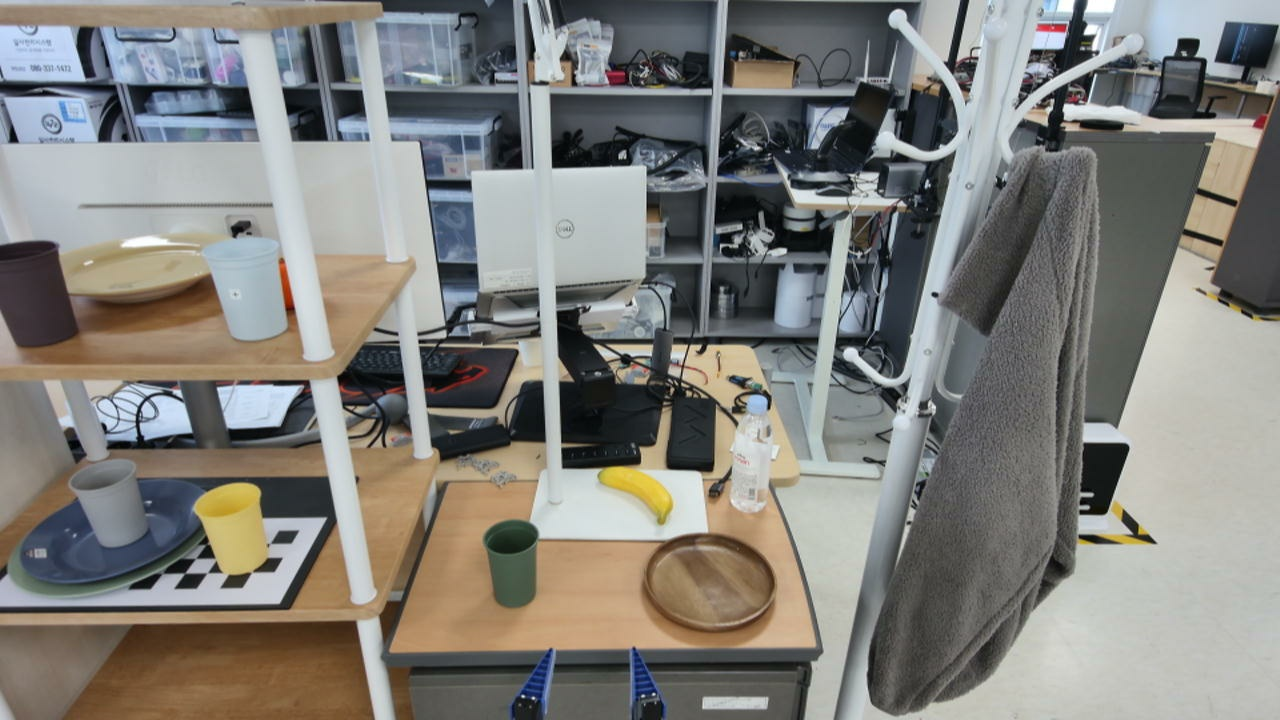
Input RGB.
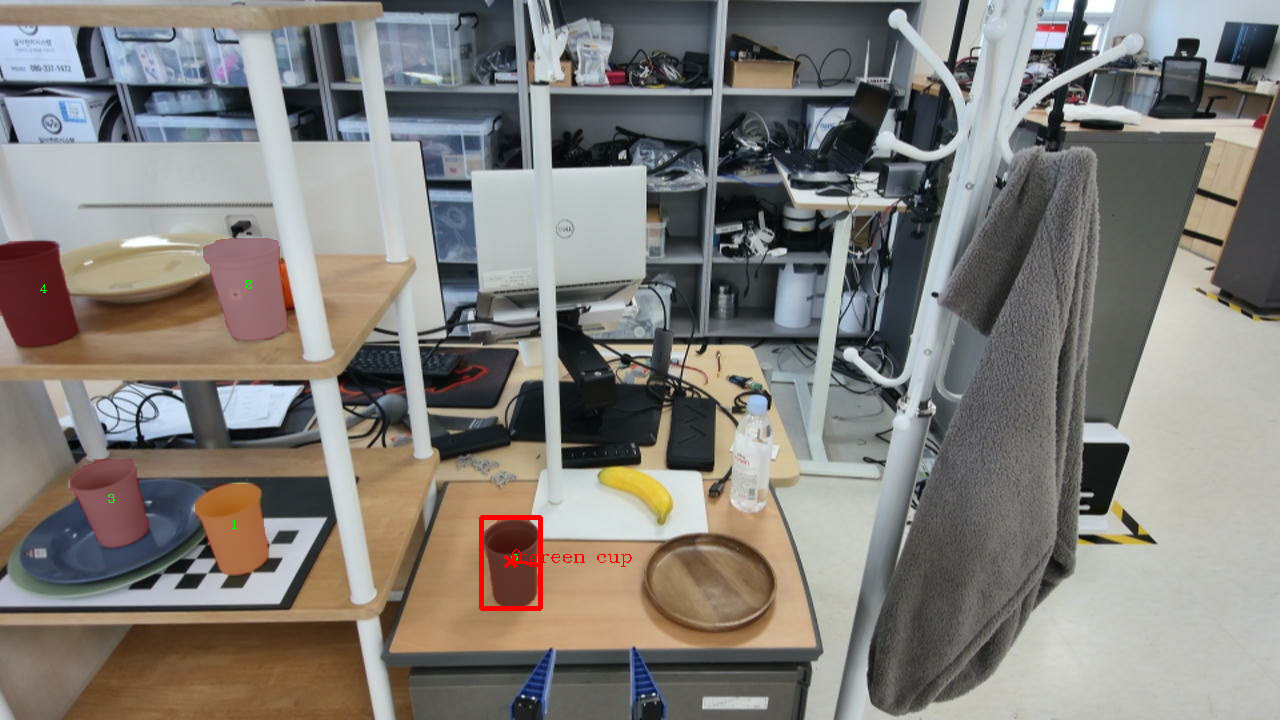
Detection Result.
Detect grasp pose of an object using structured command
Set isplanned=True when running about terminal 1 command
Type a prompt in terminal 1, e.g.
detect_grasp::green cup
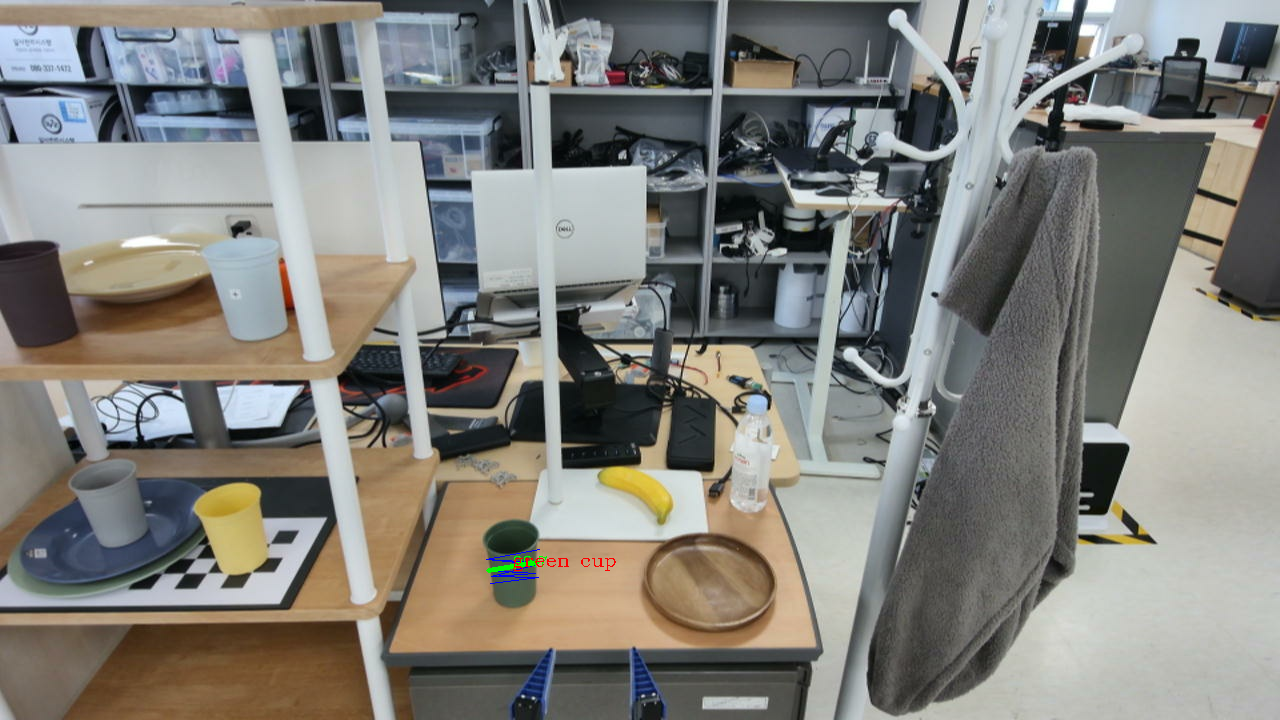
Detection Result.
Detect place pose of an object using structured commnad
Set isplanned=True when running about terminal 1 command
Type a prompt in terminal 1, e.g.
detect_place::wooden dish
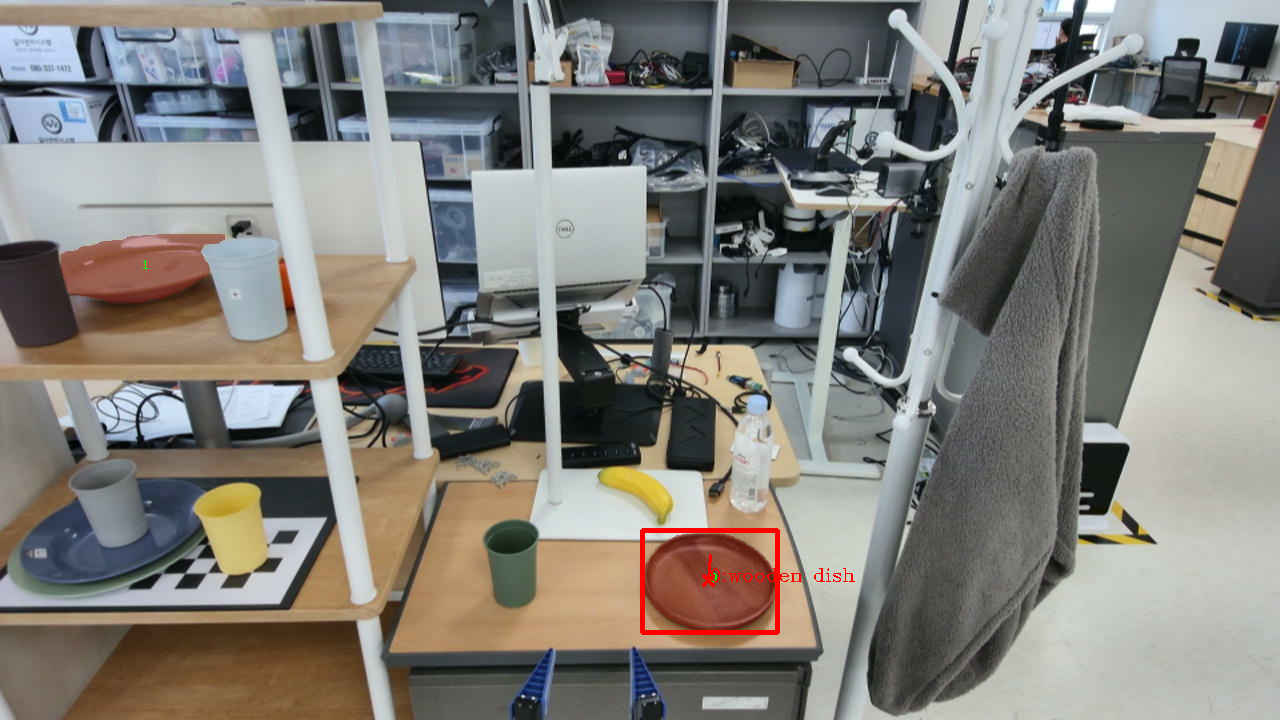
Detection Result.